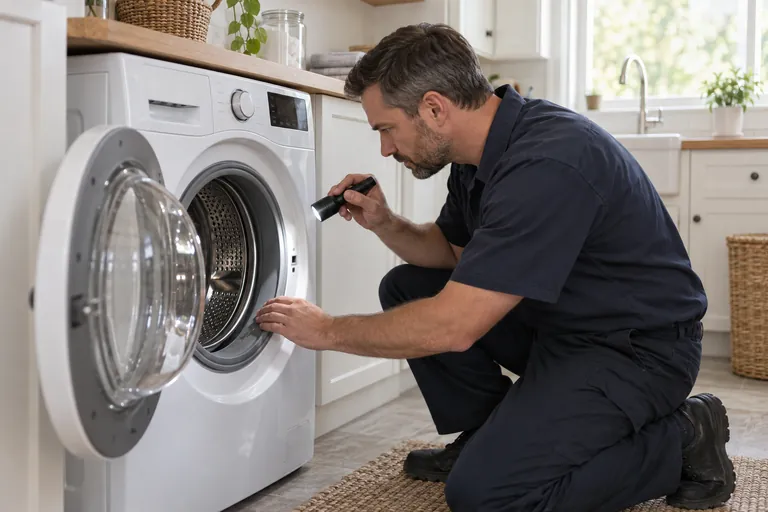
On-site service is available by appointment; submit a booking request so the team can confirm current availability.
At Fixlify, we've built our entire service model around online booking. This guide walks you through exactly what happens when you book appliance repair online, what to have ready before you start, and how to get the fastest possible service.
Why Online Booking Beats the Phone Call
Traditional repair booking was friction-heavy: call in, describe your problem to a dispatcher, wait for a callback, negotiate a time window. The whole process could take 20 minutes — and still result in a vague "sometime between 9 and 5" appointment.
Online booking flips that experience entirely. With a modern system like ours, you're interacting directly with real-time technician availability. You see actual open slots, not a dispatcher's best guess. You confirm in under two minutes, get a text with your tech's details, and can track the appointment without calling anyone.
There's also a practical information advantage. When you type out your problem in a booking form, it creates a written record. Your technician arrives already knowing your fridge model and symptom — so they often bring the most likely part right in their van.
What to Have Ready Before You Book
Two minutes of preparation makes the booking process smoother and your repair faster:
- Appliance brand and model number — usually on a sticker inside the door or on the back. Samsung, LG, Whirlpool, Bosch, GE, Frigidaire are all common in Toronto homes.
- A brief description of the problem — "fridge not cooling" or "washer won't spin" is enough. Error codes, if your appliance displays them, are especially helpful.
- Your service address and buzzer code — including unit number for condos and any access details for buildings with concierge.
- On-site service is available by appointment; submit a booking request so the team can confirm current availability.
- A phone number for confirmation texts — the system sends automated updates and your tech calls 30 minutes before arrival.
How Fixlify's Booking Process Works Step by Step
-
1
Choose Your Appliance and Problem
Select the appliance type from the booking widget — fridge, washer, dryer, oven, dishwasher, or stove. Add the brand and describe what's happening. This routes you to technicians who carry the right parts for your specific repair.
-
2
Enter Your Address and Pick a Slot
The system validates your GTA address and shows available technicians in your area. You'll see real time slots — often as early as 2–4 hours from now. Choose the window that works for your schedule.
-
3
Confirm and Receive Instant Notification
Once you confirm, the booking is locked in immediately. You receive a text and email with your technician's name, a tracking link, and a call reminder for 30 minutes before arrival. No waiting for a callback.
-
4
Technician Arrives, Diagnoses, and Quotes
Your licensed tech arrives with your repair details already on their tablet. They perform a diagnostic, explain what's wrong in plain language, and give you a firm written quote before touching anything. No pressure, no surprises.
-
5
Repair Completed, Digital Invoice Issued
Most repairs are completed on the first visit. You approve the quote, the tech does the work, and you receive a digital invoice with parts details, labour breakdown, and your 90-day warranty documentation. Pay by card, e-transfer, or cash when it's done.
Tracking Your Appointment After Booking
One underrated benefit of digital booking is real-time tracking. Unlike old-school window appointments, Fixlify sends you an update when your technician is dispatched and another when they're 30 minutes away. You don't need to sit by the door guessing. If something changes on either side, communication happens by text — fast and documented.
Understanding the Diagnostic Fee
Every booking includes a diagnostic fee, which covers the technician's travel, time on-site, and professional assessment of the problem. This fee is disclosed during booking — no surprises. The important detail: the diagnostic fee is credited toward your repair cost if you proceed. You only pay it separately if you decide not to have the repair done after the assessment.
On-site service is available by appointment; submit a booking request so the team can confirm current availability.
Payment and What Comes After
Payment is collected after the repair is complete and you're satisfied. We accept Visa, Mastercard, Amex, Interac debit, e-transfer, and cash. You'll receive a digital receipt by email with your warranty start date and contact information for any follow-up questions.
If the same issue recurs within 90 days, call us and we return at no additional charge — no need to rebook or pay again. The warranty is attached to the repair record in our system, so the tech arrives knowing exactly what was done.
On-site service is available by appointment; submit a booking request so the team can confirm current availability.
Ready to Book Your Appliance Repair Online?
On-site service is available by appointment; submit a booking request so the team can confirm current availability.