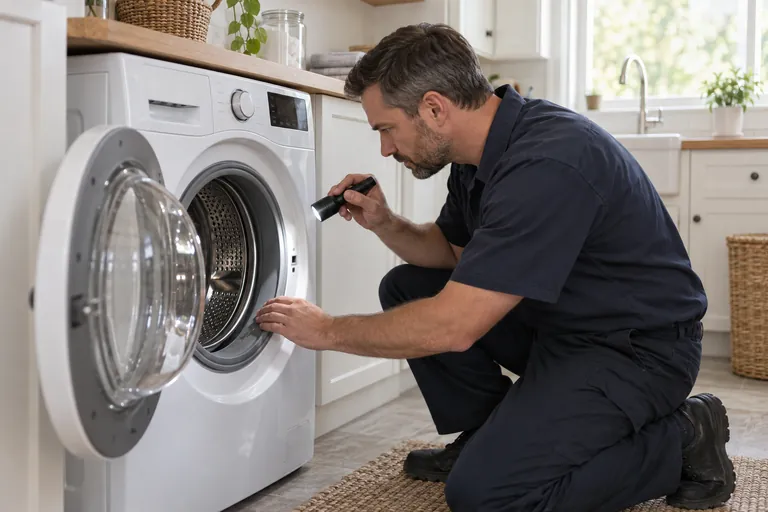
On-site service is available by appointment; submit a booking request so the team can confirm current availability.
On-site service is available by appointment; submit a booking request so the team can confirm current availability.
What Makes a Smart Appliance Different to Repair?
A smart appliance contains all the same mechanical and electromechanical components as its conventional equivalent — motor, pump, heater, sensors, control board — plus an additional Wi-Fi or Zigbee communication module, an expanded control board with more processing capability, and firmware that enables app control, remote diagnostics, and over-the-air updates. The connectivity layer adds one more potential failure point, but it does not make mechanical faults more complex or more expensive to repair.
What smart connectivity does add is a significant diagnostic advantage. LG's SmartDiagnosis system transmits a coded audio signal from the appliance to the service technician's tablet, delivering the complete fault history, current sensor readings, and component status within seconds of connection. Samsung's SmartThings platform logs error events with timestamps, which can reveal intermittent faults that never appear during a scheduled service call. Alex M. uses both platforms routinely, giving Fixlify customers a more accurate diagnosis in less time compared to purely mechanical inspection.
What Are the Most Common Smart Appliance Problems in Toronto?
Based on service calls across Toronto since smart appliances became mainstream in Canadian homes (approximately 2018–2019 for most households), Fixlify technicians see these problems most frequently:
- Wi-Fi connection loss after router replacement or ISP upgrade: The new router uses WPA3 security or broadcasts only on 5GHz. Most residential smart appliances (LG ThinQ, Samsung SmartThings compatible models, Whirlpool connected ranges) require 2.4GHz and WPA2 or WPA2/WPA3 mixed mode to connect successfully.
- App not showing current appliance status: The appliance is connected but the app data is stale or not updating. Usually a firmware issue resolved by a factory Wi-Fi reset and reconnection process.
- Error codes that appear in the app but not on the display: Smart appliances store fault codes in memory that the display clears after a power cycle, but the app retains the history. Alex can read this history to find intermittent faults — such as a pump that occasionally fails to drain — that would otherwise be missed.
- Firmware update failure: An interrupted firmware update can leave the appliance in a boot loop or with a corrupted control board firmware. This requires a technician with the manufacturer's firmware recovery tool.
- Hardware faults identical to non-smart models: Motor failures, sensor failures, pump failures — the same as any other appliance, just identified more quickly via the connected diagnostic platform.
How Does Smart Diagnosis Change the Repair Process?
Remote fault history review (before the visit)
For LG and Samsung connected appliances, Fixlify can review the app-reported fault history before the technician arrives — arriving pre-informed about the fault code, its frequency, and when it first appeared. This reduces diagnostic time at the visit.
SmartDiagnosis or SmartThings scan on arrival
Alex runs the brand-specific diagnostic protocol immediately on arrival. For LG, this is the audio-tone transmission test. For Samsung, it is the SmartThings service mode activation via the Fixlify tablet. Results are logged directly to the digital work order.
Network layer vs. hardware layer determination
Technician determines whether the reported issue is a connectivity configuration problem (network layer — resolvable without parts) or a hardware fault (physical layer — requires parts and repair). This distinction defines whether a part is needed and what the repair cost will be.
Repair and re-registration
After hardware repair, smart appliance is re-registered to the customer's app account and tested to confirm remote monitoring and control functions are restored. The digital Fixlify invoice includes the firmware version confirmed functional at time of repair.
Privacy note: Smart appliances collect usage data and transmit it to manufacturer servers. If you are concerned about data privacy and want the Wi-Fi module disabled rather than repaired, Fixlify technicians can advise on whether this is physically possible on your specific model without affecting the appliance's core functions. Most smart appliances operate normally without the Wi-Fi module active.
What Does Smart Appliance Repair Cost in Toronto?
- Wi-Fi module hardware replacement: $160–$280
- Firmware recovery and reinstall: $100–$140 (labour only, no parts)
- Control board replacement (smart version): $240–$420 (typically $40–$80 more than non-smart equivalent due to part cost)
- Standard mechanical repairs (motor, pump, sensor) on smart models: Same as non-smart equivalent — $120–$320 depending on component
Fixlify provides a digital upfront quote via the Fixlify platform. Smart appliance repairs carry the same 90-day parts-and-labour warranty as all Fixlify jobs.
Is Smart Appliance Repair Worth It in 2026?
Smart appliances in the Toronto market typically carry a $200–$600 premium over their non-connected equivalents at purchase. By 2026, smart features like remote monitoring, cycle notifications, and adaptive programs have proven their value for households that use them actively. Repairing a smart appliance makes financial sense for the same reasons as repairing any appliance: if the unit is under 7–8 years old and the repair cost is less than 50% of replacement cost, repair wins. The connected features are a bonus that comes back online after repair, not a reason to buy new.
Smart Appliance Issue in Toronto?
On-site service is available by appointment; submit a booking request so the team can confirm current availability.